


In 2026, building a WordPress website that’s fast, secure, and scalable isn’t optional — it’s essential. Whether you’re a blogger, entrepreneur, or business owner, performance and reliability determine user experience, SEO rankings, and conversion rates. Enter RootXHosting: an emerging powerhouse in web hosting that combines performance, security, and scalability — making it an ideal partner for WordPress websites in 2026.
In this comprehensive, beginner-friendly guide, we’ll walk through how to use RootXHosting to build high-performance WordPress sites that are secure and ready for growth.
Table of Contents
Why RootXHosting Is Ideal for WordPress in 2026
In 2026, hosting expectations have evolved. Website owners want performance without complexity. RootXHosting delivers this with high speed infrastructure for your websites and built-in security protections with scalable resources for growth and easy WordPress installation and management interfaces.
These features help ensure your WordPress site not only loads fast but stays secure and ready to handle more traffic as your brand grows.
Key Features WordPress Sites Need in 2026
Before we get into RootXHosting specifics, let’s define what a modern WordPress host must provide:
- Performance and Speed
Speed matters for user experience and SEO. Google’s Core Web Vitals make speed essential, not optional.
- Security
Cyber threats are constantly evolving. Your host must support SSL, firewalls, malware scanning, and secure login protocols.
- Scalability
Sudden spikes in traffic should not break your website. A scalable infrastructure ensures uptime even during peak demand.
- Management Tools
One-click installs, easy backups, staging environments, and automatic updates save time.
Step-by-Step: Setting Up RootXHosting for WordPress
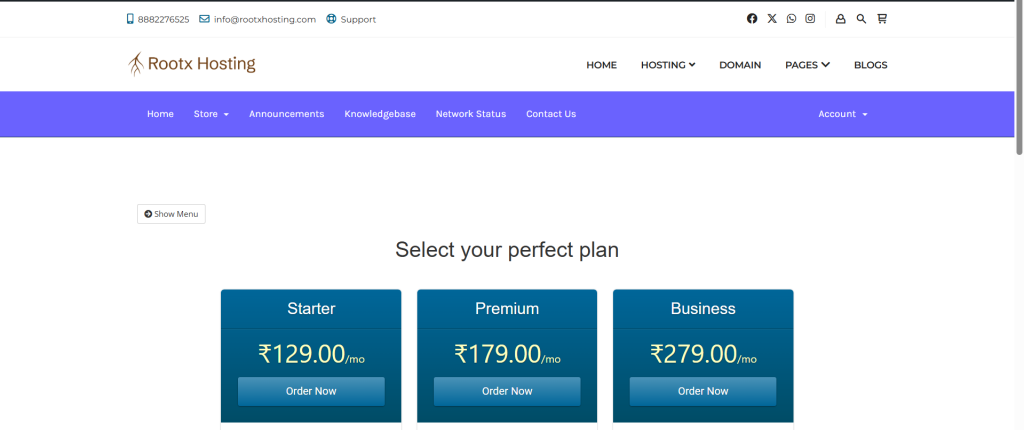
Step 1: Choose a WordPress Hosting Plan
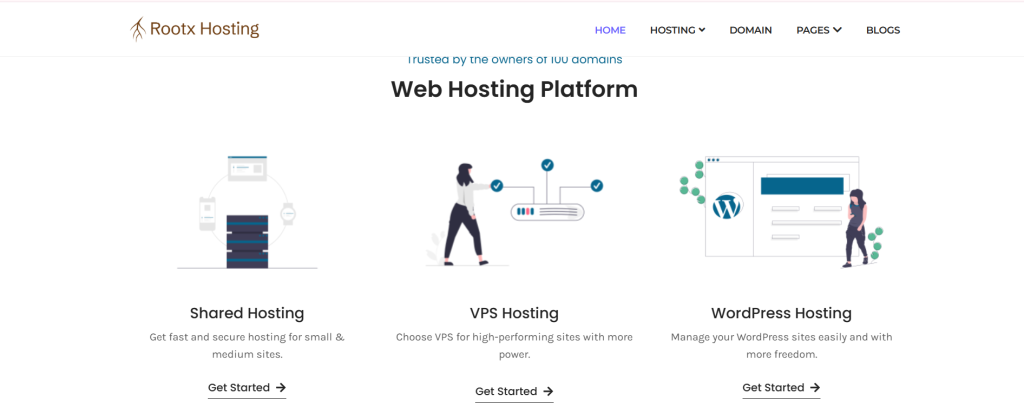
RootXHosting typically offers plans like:
- Shared WordPress Hosting (best for bloggers/small sites)
- Managed WordPress Hosting (for performance and peace of mind)
- VPS / Cloud Hosting (for high traffic or enterprise sites)
Choose based on your current needs and future growth plans.
Step 2: Register Your Domain
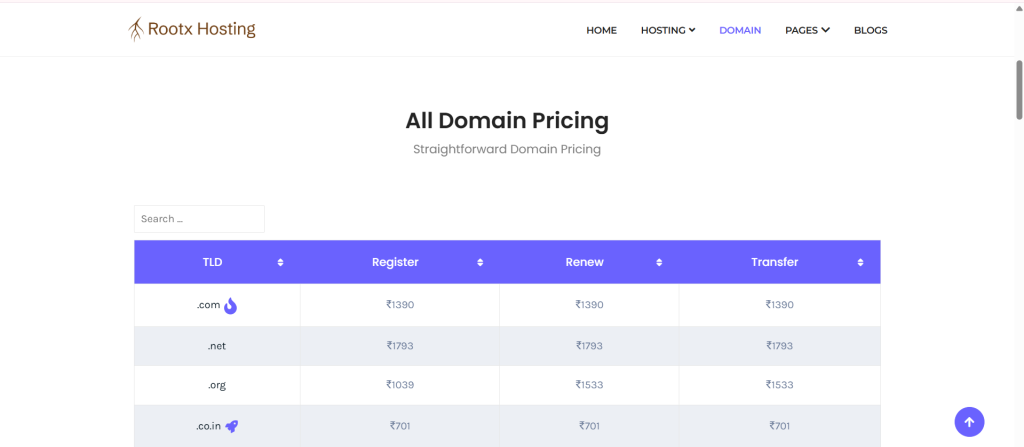
If you don’t already own a domain, RootXHosting usually provides domain registration as part of the signup process. Pick a domain that reflects your brand .
Step 3: One-Click WordPress Installation
- Access the hosting control panel.
- Navigate to the WordPress Installer.
- Enter your site name, admin credentials, and desired language.
- Click Install — and WordPress will be live in minutes.
Step 4: Configure SSL
A secure site is essential for SEO and user trust. RootXHosting typically includes free SSL certificates. Activate SSL in your control panel to ensure your site loads with HTTPs.
Step 5: Set Up Automatic Backups
Configure automated daily or weekly backups — a safety net in case of data loss or site issues.
Speed Optimization Strategies with RootXHosting
Fast websites don’t just feel better — they rank higher and convert more visitors. With RootXHosting, optimizing WordPress speed becomes practical and effective.
Enable Caching
RootXHosting offers built-in caching features that significantly reduce server load. Page caching stores ready-to-serve pages, browser caching saves static files locally, and object caching speeds up database queries. Together, they cut loading time and improve performance instantly.
Optimize Images
Large images slow websites down. Plugins like Smush or ShortPixel compress images without sacrificing quality, helping pages load faster while maintaining visual appeal.
Use a CDN
A Content Delivery Network (CDN) serves your website content from servers closest to your visitors. RootXHosting supports popular CDN services like Cloudflare, ensuring faster global delivery and improved site stability.
Choose Lightweight Themes and Plugins
Speed starts with clean code. Use well-optimized WordPress themes and limit plugins to only what you truly need. Avoid heavy page builders and unnecessary features that increase load time.
Use PHP 8+ and Modern Technologies
RootXHosting keeps its servers updated with the latest PHP versions and optimized database engines. These upgrades improve execution speed, reduce memory usage, and enhance overall WordPress performance.Security is a top priority for WordPress websites in 2026.
WordPress Security Best Practices with RootXHosting
A single vulnerability can damage your search rankings, reduce traffic, and break user trust. RootXHosting helps reduce these risks by offering built-in protection tools designed to keep your site safe from modern threats.
One of the first steps in securing your WordPress site is enabling firewall protection. RootXHosting provides built-in firewall solutions, including Web Application Firewalls (WAF), which actively block malicious traffic before it can access your website. This layer of protection helps defend against common attacks such as SQL injections and brute-force attempts.
Regular malware scanning is equally important. RootXHosting integrates smoothly with trusted WordPress security plugins like Wordfence and Sucuri, allowing you to scan your site for malware and vulnerabilities in real time. These tools detect threats early and help prevent long-term damage to your website.
Securing login access adds another strong defense layer. Using strong passwords, enabling two-factor authentication (2FA), and limiting login attempts significantly reduce the chances of unauthorized access. These simple practices are highly effective in stopping brute-force attacks that target WordPress admin panels.
Unused plugins and themes often become hidden security risks. Removing anything you don’t actively use reduces potential attack points and keeps your WordPress installation clean and safe. Fewer plugins also improve site performance and stability.
Ensuring Scalability for Growing WordPress Sites
Scalability ensures that your WordPress website continues to perform smoothly as traffic increases, without crashes or slowdowns. RootXHosting is built with growth in mind, making it easier to expand resources as your website evolves.
Small websites can start on shared hosting, but as traffic grows, upgrading becomes essential. RootXHosting offers managed WordPress hosting, VPS, cloud hosting, and dedicated servers, allowing seamless transitions without disrupting your site’s performance.
Monitoring and Maintenance Tips
Regular monitoring and maintenance are key to long-term WordPress success. Even the best hosting setup requires consistent attention to remain fast, secure, and reliable.
Although RootXHosting provides automated backups, keeping additional backup copies stored in multiple locations adds an extra layer of protection. This ensures quick recovery in case of accidental data loss or cyber incidents.
Monitoring uptime helps prevent extended downtime. Uptime monitoring tools alert you instantly if your site goes offline, allowing quick action before it impacts users or search rankings.
Conclusion
In 2026, a successful WordPress website must be fast, secure, and scalable to compete effectively online. RootXHosting delivers all three by combining modern infrastructure, strong security measures, and flexible growth options.
By following these best practices, your WordPress website can achieve faster load times, stronger protection against threats, seamless scalability, and improved SEO performance. If you’re looking to build a future-proof, performance-driven WordPress site, RootXHosting provides a solid and reliable foundation to start with.
Is RootXHosting suitable for beginners?
Yes, RootXHosting is beginner-friendly and easy to use. With one-click website installation, a clean dashboard, and helpful support, even users with no technical background can launch and manage their websites smoothly.
Can my website grow without changing hosting providers?
Yes, one of RootXHosting’s biggest advantages is its scalability. As your website traffic increases, you can easily upgrade from entry-level hosting to VPS, cloud, or dedicated server plans. This means you don’t need to migrate to a new provider as your website grows, saving time, effort, and potential downtime.
How does RootXHosting protect websites from cyber threats?
RootXHosting includes multiple layers of security to safeguard websites from modern cyber threats. These include SSL encryption, firewall protection, malware scanning, and real-time monitoring. Together, these features help prevent hacking attempts, block suspicious traffic, and detect vulnerabilities early before they can cause serious damage.
Will my website remain fast during high traffic?
Yes, RootXHosting is built to handle traffic spikes efficiently. With advanced caching, CDN integration, and optimized server resources, websites maintain fast loading times even during peak traffic periods. Auto-scaling options further ensure that additional resources are allocated when visitor numbers suddenly increase.
Does RootXHosting help improve search engine rankings?
Yes, RootXHosting plays a strong role in improving search engine performance. Faster loading speeds, secure HTTPS connections, reliable uptime, and stable server performance are all factors that search engines value. These technical advantages help improve user experience, which in turn supports better rankings and visibility.
Are backups included with RootXHosting?
Most RootXHosting plans include automated backup solutions that regularly save website data. These backups allow quick recovery in case of accidental deletion, technical errors, or security incidents. Users can also manually download backups and store them externally for added safety and peace of mind.
Can I use a CDN with RootXHosting?
Yes, RootXHosting supports popular CDN services such as Cloudflare. A CDN delivers website content from servers closer to visitors, reducing latency and improving load times worldwide. This is especially beneficial for websites targeting users from multiple geographic regions.
Is technical support available if something goes wrong?
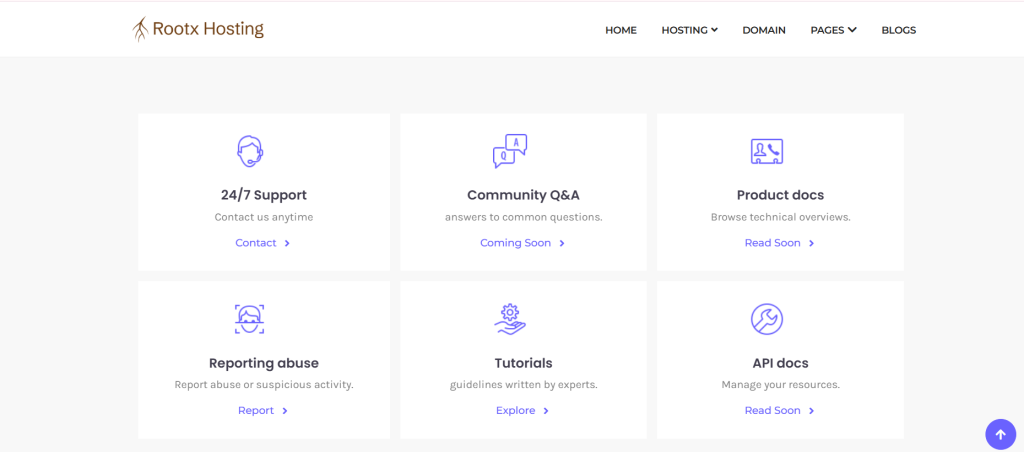
Yes, RootXHosting provides reliable technical support to assist with server management, performance optimization, and security-related concerns. Whether you face a sudden outage or need guidance on configuration settings, the support team is available to help ensure smooth website operation.
Is RootXHosting suitable for business and eCommerce websites?
Yes, RootXHosting is well-suited for business websites and online stores that require strong performance and security. Its scalable infrastructure, secure environment, and consistent uptime make it a dependable option for handling transactions, customer data, and growing traffic demands.
Leave a Reply