


If you’re planning to build a website with WordPress, one of the first things you’ll need is a reliable WordPress Download source. While finding the software is easy, choosing a trustworthy website is important. You don’t want to accidentally download an outdated or modified version that could cause problems later.
WordPress is one of the most widely used platforms for creating websites, blogs, online stores, portfolios, and business websites. The good news is that getting the official software is simple when you know where to look.
In this guide, we’ll take a look at the 5 best WordPress Download websites and explain what each one is useful for. We’ll also share a few simple tips to help you choose the right download source for your needs.
Table of Contents
Why Does the WordPress Download Source Matter?
It might seem like WordPress download is as simple as clicking a button, and in most cases, it is. The important part is making sure that the file comes from a reliable source.
Official and trusted sources provide genuine WordPress files and make it easier to stay up to date. On the other hand, downloading WordPress from an unknown website can expose you to outdated, modified, or potentially unsafe files.
A reliable WordPress download source should provide:
- Genuine WordPress software
- Access to current releases
- Secure downloads
- Installation instructions
- Release information
- Helpful documentation
Taking a little time to choose the right source can make the rest of your WordPress setup much easier. Look at the WordPress download websites given below:
1. WordPress.org
When it comes to a WordPress download, WordPress.org is the obvious place to start. It is the official home of the WordPress open-source project and provides the software directly to users.
You can download the latest version of WordPress and find detailed instructions for installing it. The website also includes documentation and other resources that can be useful if you’re new to WordPress.
Why Choose WordPress.org?
- It is the official WordPress source.
- The software is free to download.
- You can access the latest releases, etc
For most users, WordPress.org is the safest and simplest option when they want to download WordPress for their own website.
2. WordPress Download Archive
Sometimes, you may need an older version of WordPress instead of the latest release. This is where the WordPress download archive can be useful.
Older versions are sometimes needed for testing, development, or checking compatibility with an older theme or plugin. Developers can use the archive to find a particular WordPress release without relying on random third-party websites.
Who Can Benefit From the Archive?
The archive can be particularly useful for:
- Developers
- Website administrators
- Testing environments
- Compatibility testing
- Older WordPress projects
For a new website, however, using the latest stable version is generally the better option unless you have a specific reason to use an older release.
3. WordPress GitHub Repository
Developers who want to look deeper into WordPress may find the official GitHub repository useful. It provides access to the project’s source code and development-related information.
This isn’t necessarily the easiest option for someone who simply wants to download WordPress and start building a website. However, it can be valuable for developers who want to understand how WordPress is developed or contribute to the project.
Why Do Developers Use GitHub?
The repository can be useful for:
- Exploring WordPress source code
- Development and testing
- Following project changes
- Contributing to WordPress
- Working on custom development projects
If you’re a beginner, stick with the standard WordPress download page. Developers and experienced users may find GitHub more useful.
4. WordPress.com
WordPress.com is another popular option, although it works differently from downloading WordPress directly from WordPress.org.
With WordPress.com, you can create and manage a website through a hosted platform. This means you don’t have to manually download and install WordPress software in the traditional way.
For beginners who want to get a website online without dealing with technical installation steps, this can be a convenient option.
Why Consider WordPress.com?
- Easy website setup
- Beginner-friendly tools
- No manual installation for basic use
- Website management features
- Built-in services and options
The main difference is that WordPress.com is a hosted service, while WordPress.org provides the WordPress software for users who want to install and manage it themselves.
5. Official WordPress Release Resources
Before downloading or updating WordPress, it’s helpful to check the official release information. Release resources can help you understand what has changed between versions and whether an update is right for your website.
This can be particularly useful if you’re managing an existing WordPress site and want to understand what a new version includes before installing it.
What Can You Check?
Official release resources can help you find:
- New WordPress versions
- Release information
- Updates and improvements
- Bug fixes
- Security-related changes
- Version history
Using official resources also makes it easier to avoid downloading files from questionable sources.
How to Choose the Best WordPress Download Website
With several options available, choosing the right one depends on what you’re trying to do. Keep these simple points in mind before downloading WordPress.
1. Always Check the Source
The first thing to look at is where the download is coming from. Whenever possible, use official WordPress resources rather than unknown websites.
2. Download the Latest Stable Version
If you’re starting a new website, the latest stable WordPress release is usually the best choice. Updates can include improvements, bug fixes, and important security changes.
3. Avoid Modified WordPress Files
Be careful with websites offering modified, “premium,” or customized WordPress packages. These files may contain unwanted changes or security risks.
4. Look for Proper Documentation
A trustworthy source should make it easy to find installation instructions, release information, and other documentation.
5. Choose Based on Your Needs
A beginner looking to build a website has different requirements from a developer testing an older WordPress version. Choose the source that matches what you’re trying to accomplish.
What Is the Fastest Way to Download WordPress?
For most people, the simplest approach is to download WordPress directly from its official website. The process is straightforward, and the download itself usually takes only a short amount of time.
Your actual download speed will depend on factors such as your internet connection, server response, and the size of the WordPress package.
Once the download is complete, you can follow the appropriate installation instructions to get WordPress running.
WordPress Download: What Should You Avoid?
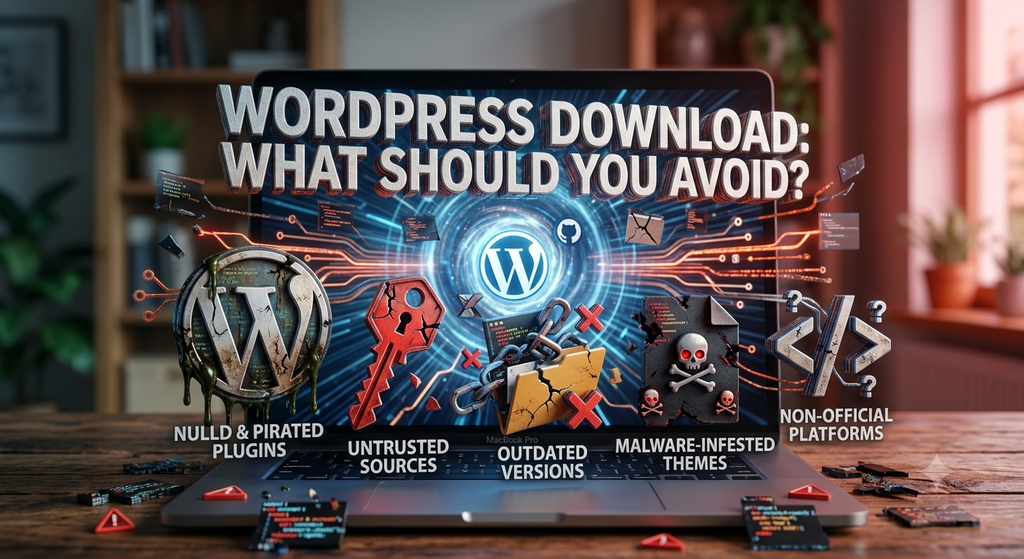
Finding a download button is easy. Finding a trustworthy download button is what matters.
Try to avoid websites that:
- Offer suspiciously modified WordPress packages
- Don’t clearly identify the source of their files
- Provide outdated software without explanation
- Ask you to install unnecessary software
- Make unrealistic claims about “premium” WordPress versions
When in doubt, go back to an official WordPress resource. It is usually better to spend an extra minute checking the source than to deal with security or compatibility problems later.
Conclusion
Choosing from the many WordPress download websites doesn’t have to be difficult. For most users, the official WordPress.org website is the best place to begin because it provides genuine software and useful resources in one place.
The WordPress archive can be helpful when you need an older version, while GitHub is better suited to developers who want to explore the project’s source code. WordPress.com, meanwhile, offers a more beginner-friendly approach for people who don’t want to deal with manual installation.
Whatever route you choose, make sure you’re getting WordPress from a source you trust. Starting with the right download can save you headaches later and give you a much smoother path toward building your website.
FAQs
Below are the FAQs related to the WordPress download websites for Fast Downloads:
Q. Where can I safely download WordPress without any risk or even any problem?
A. The official WordPress.org website is the best place for most users to go for the WordPress download. It provides genuine WordPress software & also gives official documentation. Hence, try to go for this platform first and then to other sources.
Q. Is WordPress free to download?
Yes. WordPress is free and open-source software. You can download and use the WordPress software without paying a software licensing fee.
Q. Which WordPress download website is best for beginners?
A. For beginners who want to install WordPress themselves, WordPress.org is generally the best choice. It provides the official software along with helpful installation resources.
Q. Can I download an older version of WordPress?
A. Yes. Older WordPress releases are available through official WordPress resources. They can be useful for testing and compatibility purposes, although new websites should generally use a current stable version.
Q. Is downloading WordPress from a third-party website safe?
A. It’s best to avoid unknown third-party download sites. Unofficial files may be outdated or modified. Downloading directly from official WordPress resources reduces these risks.
Q. Should I always download the latest version of WordPress?
A. For most new websites, using the latest stable version is recommended. Keeping WordPress updated can provide access to new features, improvements, bug fixes, and security updates.
Q. Can I use WordPress without downloading it?
A. Yes. WordPress.com allows you to create a website without manually downloading and installing the WordPress software. If you want a self-managed WordPress installation, you’ll typically download the software and install it yourself.
Pingback Shared Hosting 2026: The Ultimate Guide to Powerful Websites