
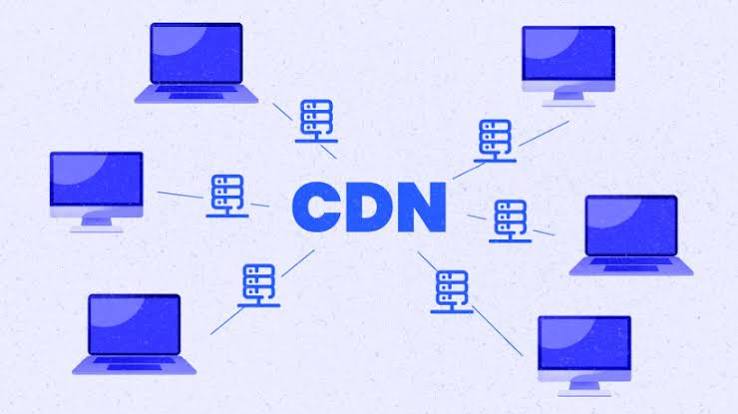


If your website ever feels slow for visitors in certain countries, or you’ve noticed your pages take longer to load during traffic spikes, there’s a good chance a CDN could solve the problem. A CDN, or Content Delivery Network, is one of those behind-the-scenes technologies that most website visitors never notice directly, yet it plays a major role in how fast and reliably your site performs for people around the world. This guide breaks down exactly what a CDN is, how it works, and whether your website genuinely needs one.
Table of Contents
What Is a CDN, Exactly?
A CDN, short for Content Delivery Network, is a system of geographically distributed servers that work together to deliver website content to users based on their physical location. Rather than every visitor to your site pulling data from a single origin server — which might be located in just one country or region — a CDN stores cached copies of your content across multiple servers, known as edge servers, positioned in different locations around the world.
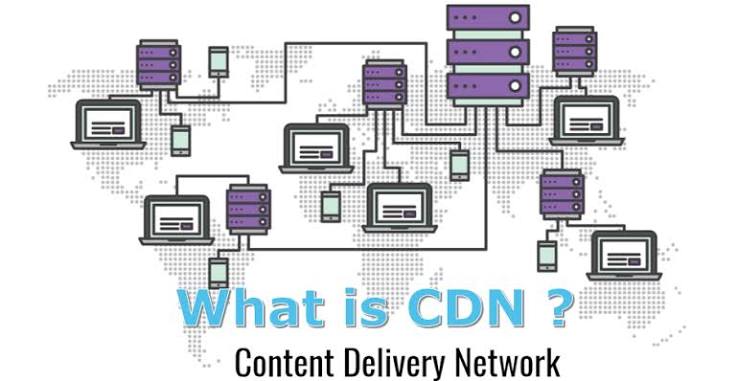
When someone visits your website, the network automatically determines which edge server is geographically closest to that visitor and delivers the content from there instead of routing every request back to your original server. This significantly shortens the physical distance data has to travel, which translates directly into faster load times for your visitors, regardless of where in the world they happen to be.
How Does it Actually Work?
To understand how a network functions in practice, it helps to walk through what happens during a typical page load. When a visitor requests your website, that request doesn’t go straight to your origin server the way it would without a network in place. Instead, the request is intercepted by the network, which quickly calculates which of its many edge servers is positioned nearest to that specific visitor.
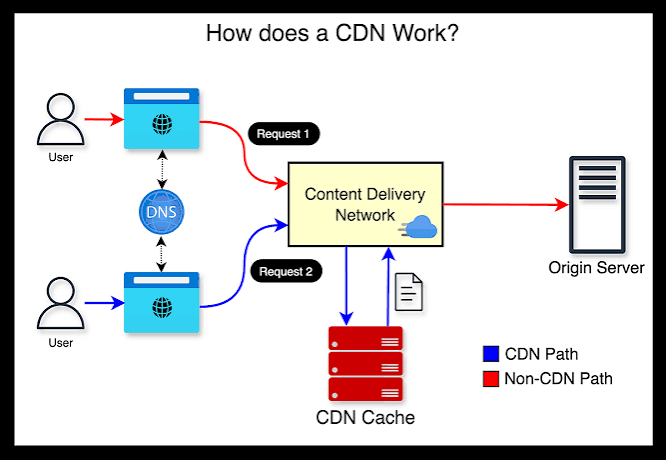
If that particular content — an image, a stylesheet, a video, or an entire webpage — has already been cached on that nearby edge server from a previous visitor’s request, the network delivers it immediately, without needing to contact your origin server at all. If the content hasn’t been cached yet, or if it’s changed since the last cache, the edge server fetches an updated copy from your origin server, delivers it to the visitor, and stores a fresh cached version for future requests from that region. This entire process typically happens within milliseconds, completely invisible to the end user.
vs. Web Hosting: What’s the Difference?
A common point of confusion for website owners is understanding how a network relates to their existing web hosting. It’s important to be clear: a CDN is not a replacement for web hosting, and using a network doesn’t mean you no longer need a hosting provider. Your web host still stores your website’s core files, databases, and original content on your origin server, exactly as it always has.
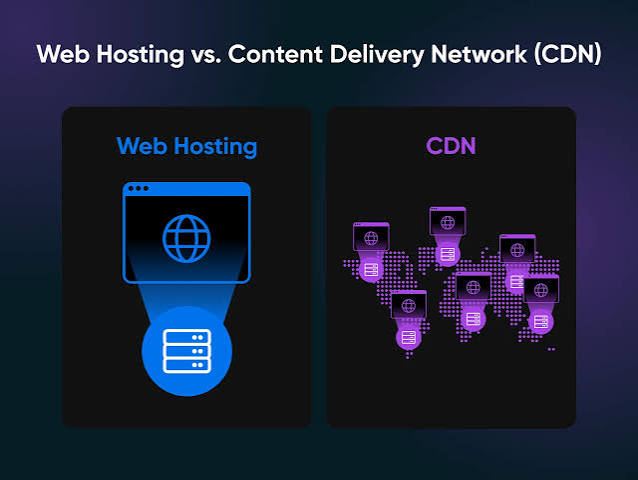
A CDN works alongside your hosting, acting as an additional layer that caches and distributes copies of your content to speed up delivery specifically to visitors located far from your origin server. Think of your web host as the single warehouse where all your products are originally stored, and as a network of local distribution centers that keep popular items stocked closer to customers, so deliveries arrive faster no matter where the customer is located.
The Core Benefits of Using a CDN
This network offers several concrete advantages for any website, regardless of size or industry:
- Reduced latency — By serving content from a server physically closer to each visitor, this network minimizes the delay between a request and its delivery, directly reducing loading wait times.
- Improved performance for media-heavy content — Websites with high-bandwidth content, like images and video, benefit especially from this network, since large files are exactly the kind of content that suffers most from long-distance server requests.
- Better handling of traffic spikes — A CDN distributes the load across multiple servers rather than concentrating all requests on a single origin server, helping your website remain stable even during sudden surges in visitors.
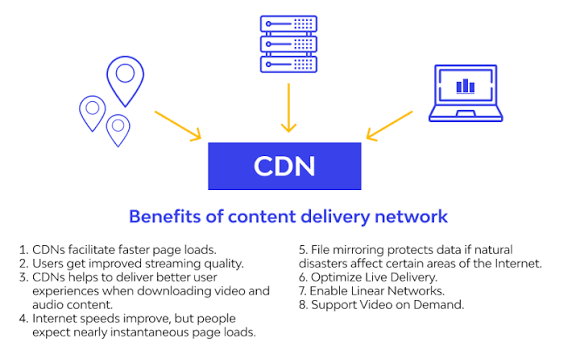
- Reduced bandwidth costs — Since cached content is served from edge servers rather than repeatedly pulled from your origin server, this network can meaningfully lower the bandwidth consumption — and associated costs — on your primary hosting plan.
- Greater reliability and uptime — If one edge server experiences an issue, this network can typically reroute requests to another nearby server, reducing the risk of your entire site becoming unavailable due to a single point of failure.
- Improved global user experience — For websites with visitors spread across multiple countries or continents, this network ensures a consistently fast experience for everyone, rather than only for visitors near your origin server’s physical location.
How it Improves Website Security
Beyond performance, a well-configured CDN provides real security benefits that are easy to overlook. Because this network sits between visitors and your origin server, it can absorb and help mitigate Distributed Denial of Service (DDoS) attacks, which attempt to overwhelm a website with an enormous volume of fake traffic. Rather than that flood of malicious requests hitting your origin server directly, this network can distribute and filter this traffic across its network, protecting your actual server from being overwhelmed.
Many CDN providers also offer additional security features as part of their service, including improved SSL/TLS certificate management and secure content delivery protocols, giving website owners an extra layer of protection without needing to configure everything manually at the origin server level.
How it Affects SEO
Website speed is a well-established ranking factor for search engines, and this is where this network can meaningfully support your SEO efforts. Since this network reduces page load times — particularly for visitors located far from your origin server — it directly improves metrics that search engines factor into rankings, including page speed and overall user experience signals.
Faster-loading pages also tend to reduce bounce rates, since visitors are less likely to abandon a slow-loading page before it fully loads. Lower bounce rates and longer time-on-site, both indirect results of improved speed from this network, are generally viewed favorably by search engine algorithms, making this network a genuinely useful, if indirect, tool for improving your site’s search visibility over time.
Types of Content it Can Deliver
A CDN isn’t limited to just speeding up basic webpage text. In practice, CDNs are commonly used to deliver a wide range of content types, including:
- Images — Product photos, graphics, and other visual content that make up a large portion of most websites’ total page weight.
- Videos — Streaming content, which benefits enormously from edge caching due to its large file sizes and the way it strains bandwidth without it in place.
- Stylesheets and JavaScript files — The behind-the-scenes code that controls how your website looks and functions, which loads faster when served from a nearby edge server.
- Downloadable files — PDFs, software downloads, and other large files that visitors retrieve directly from your website.
- Entire webpages — Some CDN configurations cache full HTML pages, delivering nearly the entire page from an edge server with minimal involvement from the origin server at all.
Signs Your Website Actually Needs a CDN
Not every website requires a CDN on day one, but certain signs suggest it’s genuinely worth implementing:
- You have visitors spread across multiple countries or continents. If your audience is concentrated entirely near your origin server’s location, the benefits of this network are less pronounced than if you’re serving a genuinely global audience.
- Your website includes heavy media content, such as high-resolution images or video, which are especially prone to slow loading without a CDN’s caching benefits.
- You experience regular traffic spikes, whether from marketing campaigns, seasonal demand, or viral content, which can strain a single origin server without a CDN’s distributed load handling.
- Page speed has become a recurring complaint from visitors or a recurring issue flagged in tools like Google PageSpeed Insights.
- You’ve experienced downtime during high-traffic periods, which a CDN’s distributed architecture can help prevent going forward.
Signs You Might Not Need any Yet
On the other hand, it may not be an urgent priority if your website is still in its early stages, with a small, geographically concentrated audience and relatively lightweight content, such as a simple blog with mostly text and few large images. In these cases, a solid, well-optimized hosting plan alone may deliver adequate performance without the added complexity of setting up and managing this network. That said, since many CDN services now offer flexible, usage-based, or even free tiers, implementing one early isn’t necessarily wasteful — it simply may not be an urgent necessity for a small, early-stage website.
Popular CDN Providers to Know
Several well-established CDN providers dominate the market, each with different pricing structures and feature sets. Cloudflare is widely used, in part because it offers a genuinely useful free tier alongside paid plans, making it accessible for smaller websites just getting started with it. Akamai, one of the original and largest network providers, is commonly used by major enterprises due to its extensive global server network.
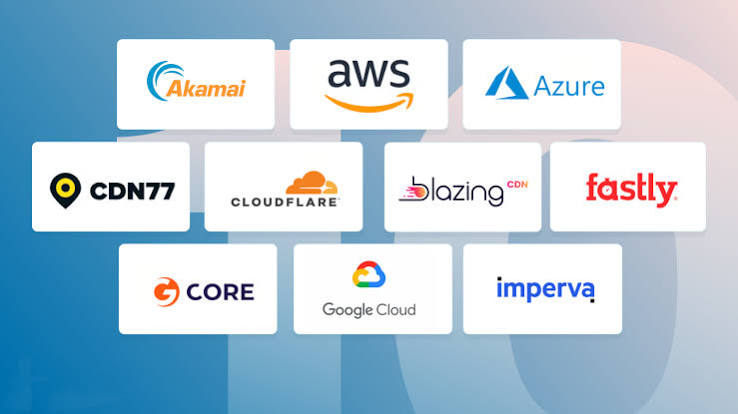
Amazon CloudFront integrates closely with AWS-hosted infrastructure, making it a natural choice for websites already using Amazon’s broader cloud ecosystem. Fastly is another well-regarded option, often chosen for its real-time content delivery capabilities and strong performance for dynamic, frequently-updated content.
How to Set Up a CDN for Your Website
Setting up it typically involves a few consistent steps, regardless of which provider you choose. First, you’ll sign up with the network provider and add your website’s domain to their service. Next, you’ll generally need to update your domain’s DNS settings, pointing them toward the network provider’s servers rather than directly to your origin server — many hosting providers and CDN services offer guided setup tools to simplify this step. Once configured, the network begins caching your website’s content automatically, and most providers offer a dashboard where you can monitor performance improvements, adjust caching rules, and configure additional settings like security features or specific file types to prioritize.
Many modern hosting providers also offer built-in or easily integrated CDN options as part of their hosting plans, which can simplify this process considerably compared to configuring a completely separate, third-party CDN service from scratch.
Common Myths, Debunked
A few misconceptions about CDNs are worth clearing up. First, it is not a substitute for web hosting — as covered earlier, the two work together rather than one replacing the other. Second, CDNs aren’t exclusively for large, enterprise-level websites; many providers offer plans and free tiers specifically designed for smaller websites and individual creators. Third, implementing it doesn’t automatically fix every performance issue on a poorly optimized website — while it significantly helps with content delivery speed, other factors like inefficient code, unoptimized images, or a slow database can still hold back overall site performance even with it in place.
Conclusion
A CDN is one of the more impactful, if often invisible, upgrades a website owner can make to improve speed, reliability, and even security. By distributing your content across a global network of edge servers, it reduces the physical distance data has to travel, resulting in faster load times, better handling of traffic spikes, and a more consistent experience for visitors regardless of their location. While not every website needs it immediately, especially smaller, early-stage sites with a concentrated local audience, the growing accessibility of CDN services — including free and flexible pricing tiers — makes it a worthwhile consideration for almost any website looking to grow its reach and improve overall performance.
FAQs
1. Do I need both web hosting and a CDN?
Yes. A CDN works alongside your web hosting rather than replacing it — your host still stores your website’s core files and data, while a CDN caches and delivers copies of that content from servers closer to your visitors.
2. Is a CDN only necessary for large websites?
No. While large, high-traffic websites benefit significantly from a CDN, many providers offer free or affordable plans suitable for smaller websites, and even modest sites with visitors in multiple locations can see real performance improvements.
3. Does using a CDN improve my SEO rankings?
Indirectly, yes. A CDN improves page load speed and reduces bounce rates, both of which are factors search engines consider when ranking websites, making a CDN a useful, if indirect, tool for better SEO performance.
4. Can a CDN help protect my website from attacks?
Yes. A CDN can help absorb and mitigate DDoS attacks by distributing and filtering traffic across its network before it reaches your origin server, and many providers also offer additional security features like SSL management.
5. How do I know if my website needs a CDN?
Signs that a CDN could benefit your website include a geographically spread-out audience, heavy media content like images or video, regular traffic spikes, or ongoing complaints about slow page load times.
Leave a Reply